
TankPulse case study
TankPulse is the stock accounting system ChurroTech built for SK Oil Terminals, a bulk liquid storage terminal. It replaced about 50 spreadsheets, and can be set up at another terminal in 2 to 4 weeks.
Key takeaways
- TankPulse replaced about 50 spreadsheets at SK Oil Terminals, and can be set up at another terminal in 2 to 4 weeks.
- Staff record dips, receipts, dispatches and transfers, and TankPulse keeps book and physical stock for every tank.
- Stock is calculated from each tank’s calibration chart, with six formulas chosen by product and tank type.
- Every create, update and delete across 13 kinds of record is logged with who, when, and the values before and after.
- Daily, monthly and vessel reports download as Excel in seconds, for any period up to 366 days.
- The terminal’s own clients get a read-only login to their own tanks and reports.
The problem: What was going wrong before TankPulse?
Before TankPulse, SK Oil Terminals tracked stock for every tank across about 50 spreadsheets.
- Daily dip readings sat in different spreadsheets, and stock was worked out by hand.
- Knowing what was in a tank, and for whom, meant going through several files.
- Stock reports were rebuilt by hand every time someone needed one.
- When a number changed, nobody could say who changed it, or why.
- Anyone with the spreadsheet could see every client’s data and change any figure.
- Client, product, tank and licence details sat in separate files and went out of date.
Before and after: What changed for SK Oil Terminals?
SK Oil Terminals moved from spreadsheets to one system that every shift, manager and client works from.
What we built: What does TankPulse do?
TankPulse is a web-based stock accounting system for terminals that store bulk liquids, for their own account or for clients. It has six parts:
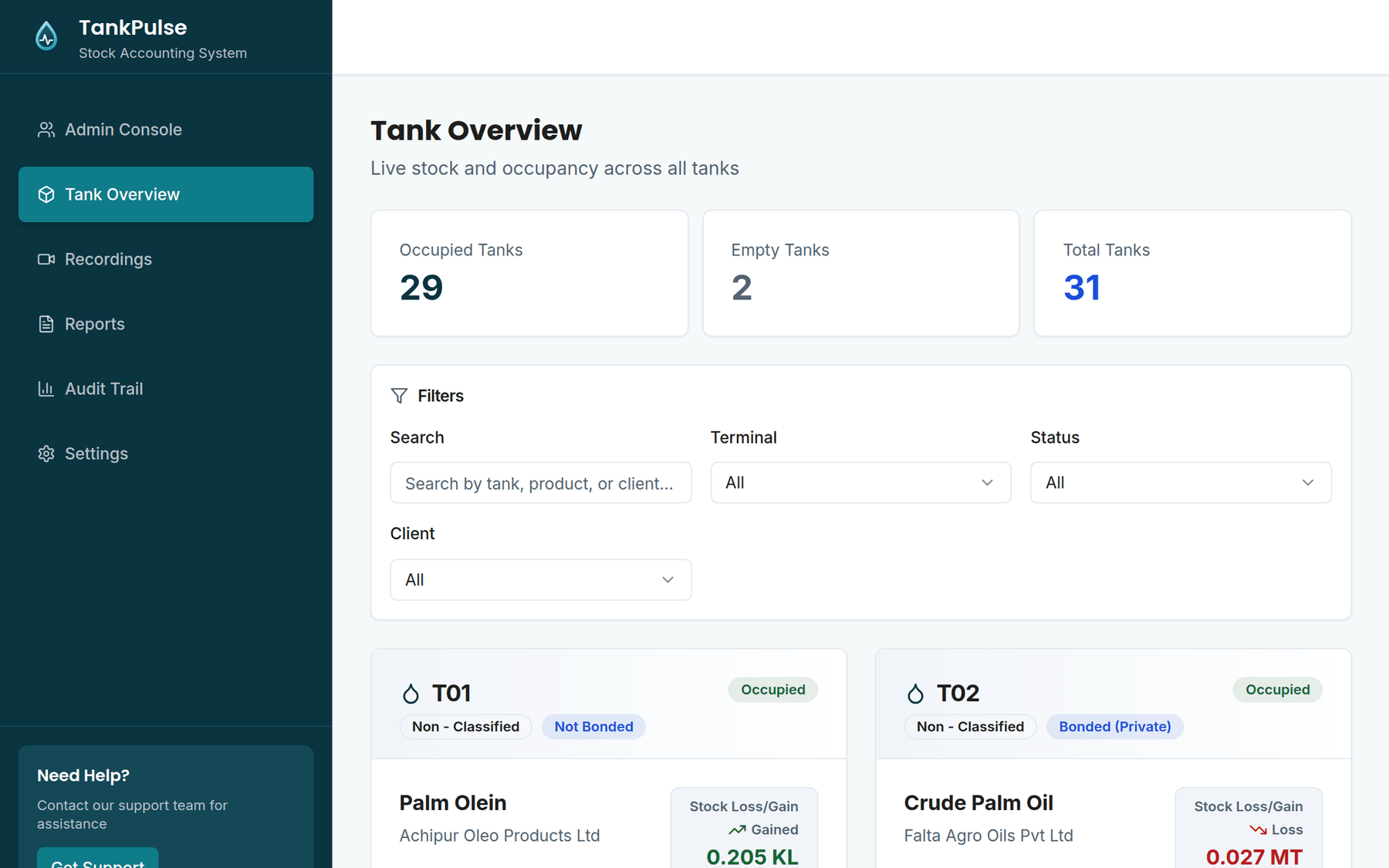
Tank Overview
Every tank in one view: status, product, client, book and physical stock, capacity used, and loss or gain in KL or MT.
Recordings
The four entries that make up the stock record: daily dip readings, vessel receipts, truck dispatches and internal transfers.
Reports
Daily Loss/Gain, Monthly and Vessel reports for any period up to 366 days, by client and tank, downloaded as formatted Excel.
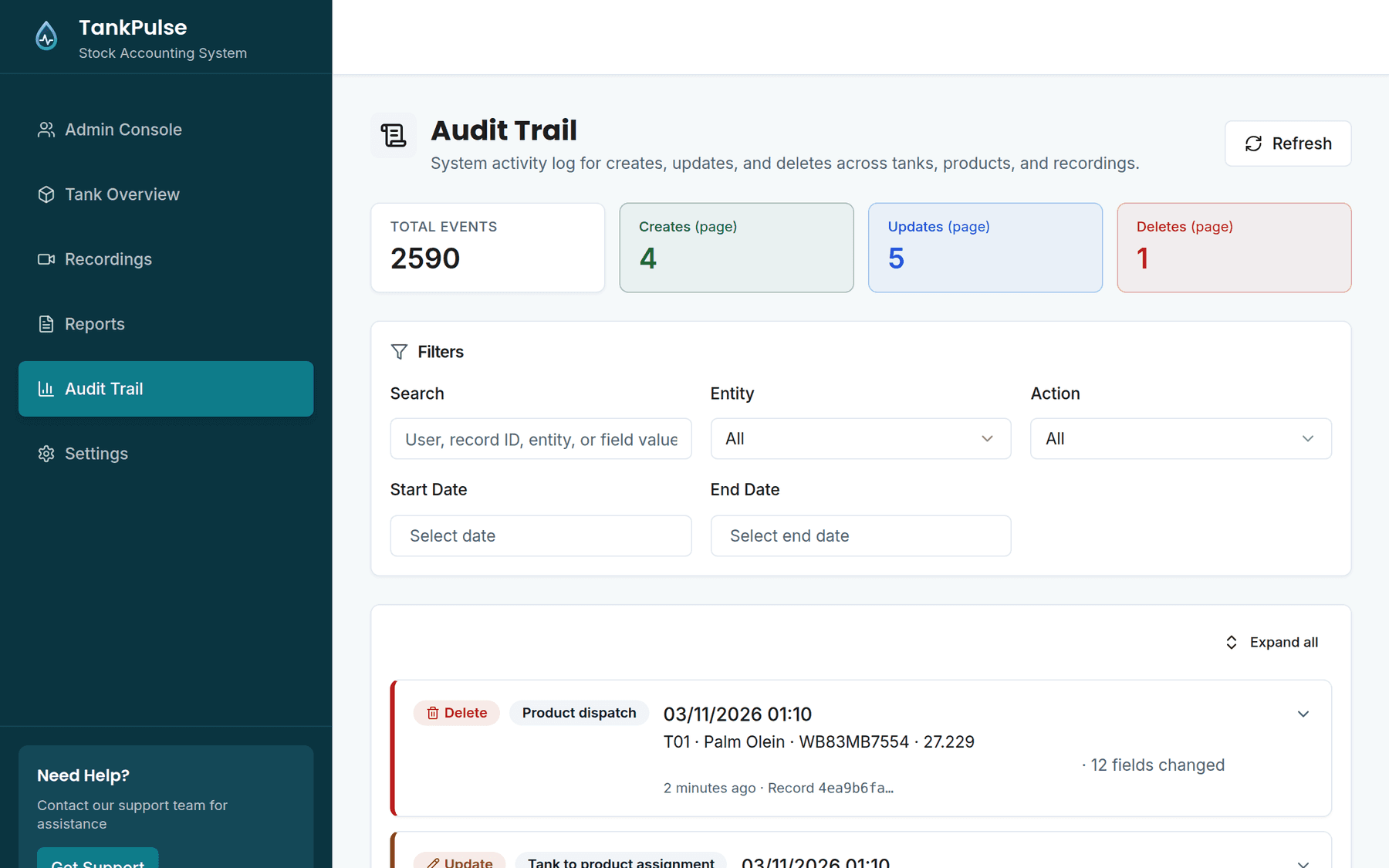
Audit Trail
Every create, update and delete across 13 kinds of record: who made it, when, and the values before and after.
Admin Console
One source of truth for clients, products, tanks, calibration charts and licences, with GST numbers and contract dates.
Settings
The stock loss cut-off, the edit window, user accounts and roles, and the weighbridge connection.
How it works: How does TankPulse calculate stock?
TankPulse keeps two independent figures for every tank, and the gap between them is the stock loss or gain.
Book stock is what should be in the tank according to the record of movements. Receipts and incoming transfers add to it; dispatches and outgoing transfers reduce it.
Physical stock is what dipping finds. TankPulse converts the dipstick height to a volume using that tank’s own calibration chart, corrects it for temperature and density, and adds any product held in the pipeline. It picks one of six formulas by product and tank type, including internal floating roof tanks.
Loss or gain is physical minus book stock. A reading past the terminal’s cut-off can’t be saved without a note, and every correction recalculates the reports from that point on.
Access: Who can see and change what in TankPulse?
TankPulse gives every user one of four roles, and the server checks the role on every request.
| Role | Tank Overview | Recordings | Reports | Audit Trail | Admin Console |
|---|---|---|---|---|---|
| Super AdminTerminal head or system owner | Yes | Yes | Yes | Yes | Yes |
| Warehouse AdminTerminal manager | Yes | Yes | Yes | No | No |
| Warehouse OperatorShift staff | Yes | Yes | No | No | No |
| ClientA storage client’s representative | Own tanks | Read-only | Own reports | No | No |
Super Admin
Terminal head or system owner
- Tank Overview
- Yes
- Recordings
- Yes
- Reports
- Yes
- Audit Trail
- Yes
- Admin Console
- Yes
Warehouse Admin
Terminal manager
- Tank Overview
- Yes
- Recordings
- Yes
- Reports
- Yes
- Audit Trail
- No
- Admin Console
- No
Warehouse Operator
Shift staff
- Tank Overview
- Yes
- Recordings
- Yes
- Reports
- No
- Audit Trail
- No
- Admin Console
- No
Client
A storage client’s representative
- Tank Overview
- Own tanks
- Recordings
- Read-only
- Reports
- Own reports
- Audit Trail
- No
- Admin Console
- No
Audit trail: How does TankPulse keep the numbers trustworthy?
TankPulse logs every change and limits who can make one. Shift staff and managers can edit an entry once, on the same day, within an edit window of up to 24 hours. Entries older than yesterday can’t be changed by anyone, and every edit or deletion shows in the audit trail with the values before and after.
Delivery: How long does it take to set up TankPulse at your terminal?
Setting TankPulse up at a new terminal takes 2 to 4 weeks, in five steps. It runs in a web browser, so nothing is installed on the team’s computers.
Discovery
Understand your terminal: tank count, products, clients and how the work moves.
Configuration
Set TankPulse up for your terminal’s products, tank classes and reports.
Data onboarding
Load clients, products, tanks, calibration charts and opening balances.
Integration
Connect the weighbridge, so truck dispatches arrive without manual entry.
Go live
Train your team and hand over.
Built with Next.js, React and TypeScript, a Node.js and Express API, and PostgreSQL. Passwords are hashed with bcrypt, and each client’s data is separated on the server.
“ChurroTech completely transformed our operations. What used to take days of manual tallying now happens instantly. We’ve scaled significantly without adding operational headcount.”
Downloads: Download the TankPulse documents
The booklet covers TankPulse in full; the brochure is the short version. Both use demo data.