
Tank terminal management software
TankPulse is ChurroTech’s tank terminal management software for bulk liquid storage terminals. It keeps stock, dip readings, receipts, dispatches, transfers and reports in one system, and SK Oil Terminals runs on it every day.
Key takeaways
- TankPulse, ChurroTech’s terminal system, is live at SK Oil Terminals and replaced about 50 spreadsheets.
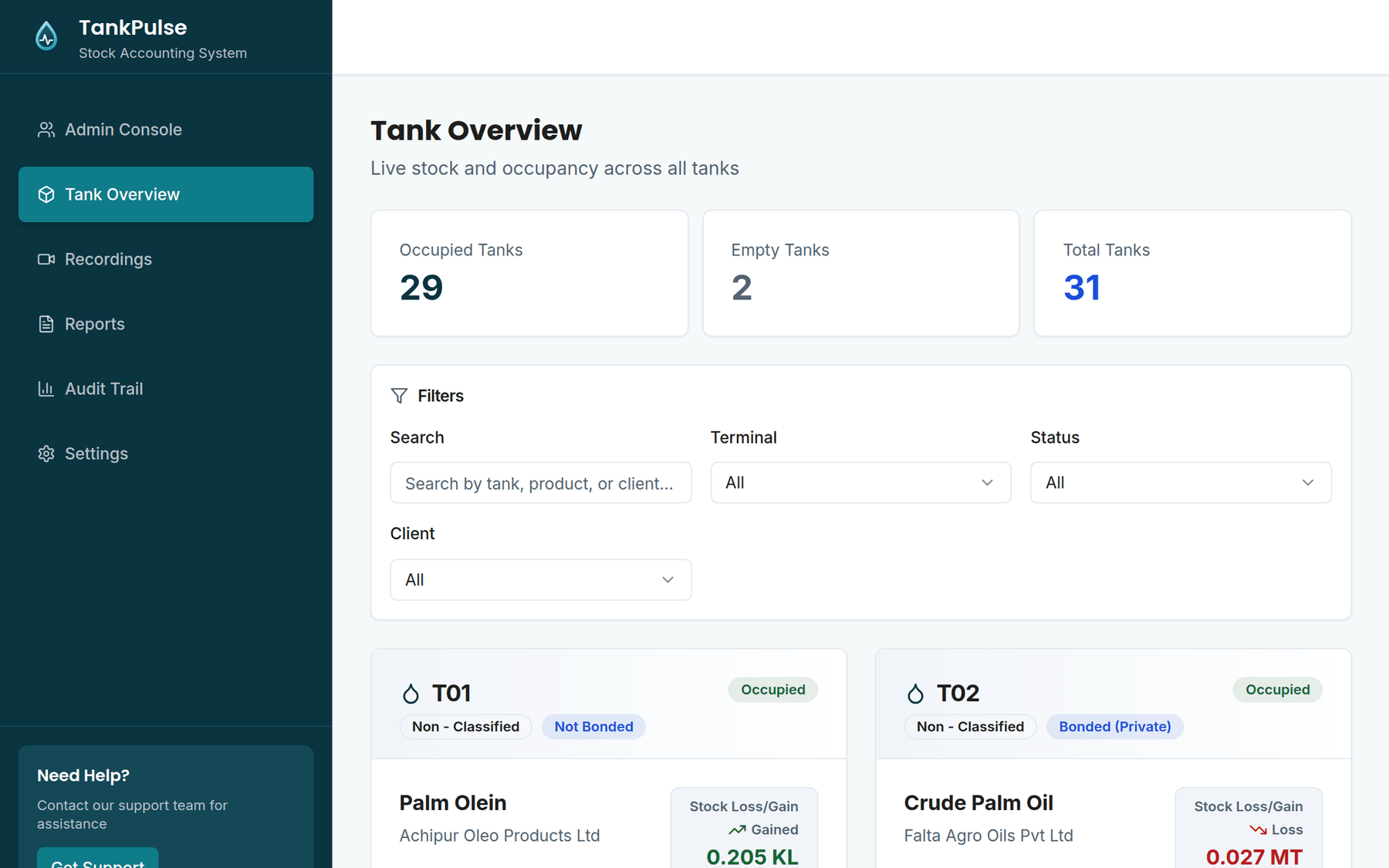
- TankPulse shows every tank’s book stock, physical stock and loss or gain in one dashboard.
- TankPulse books truck dispatches straight from weighbridge tickets, with no retyping.
- The terminal’s clients get a read-only TankPulse login to their own tanks and reports.
- TankPulse can be set up at a new terminal in 2 to 4 weeks.
The problem: What goes wrong when a terminal runs on spreadsheets?
- Every tank’s stock lives in its own spreadsheet.
- The daily report gets rebuilt by hand every morning.
- Anyone with the file can overwrite a critical number.
- Weighbridge figures get typed in a second time.
- Customers call to ask how much of their product you’re holding.
The system: What does TankPulse do at a tank terminal?
TankPulse runs the daily stock record at SK Oil Terminals, a bulk liquid storage terminal. It covers six jobs:
- Daily stock for every tank in one dashboard
- Dip readings, receipts, dispatches and transfers logged as they happen
- Client statements, plus Daily Loss/Gain, Monthly and Vessel reports downloaded as Excel
- Weighbridge data flows in with no manual entry
- A portal where the terminal’s own customers check their stock
- Access by role, with an audit trail of every change across 13 kinds of record
Adding AI: How can AI help at a tank terminal?
AI helps a terminal once every number lives in one system like TankPulse. Here are three things ChurroTech can add:
Ask about stock in plain English
“How much palm olein did we dispatch for this client last week?”
Catch readings that don’t add up
“Flag any tank where today’s dip doesn’t match receipts minus dispatches.”
Draft the daily report
“Write today’s stock summary for the management email.”
Case study: Is TankPulse in use today?
TankPulse is in daily use at SK Oil Terminals, a bulk liquid storage terminal, where it replaced about 50 spreadsheets. Setting TankPulse up at your terminal takes 2 to 4 weeks.
FAQ: Questions we get
Yes. TankPulse pulls weighbridge data in directly, so nobody types it in twice.
Yes. TankPulse includes a portal where the terminal’s customers check their own stock.
In TankPulse, only the roles you allow can change numbers, and the audit trail logs every change.
Setting TankPulse up at a new terminal takes 2 to 4 weeks. You get a timeline for your terminal in the free AI audit.
Yes. We work remotely and book calls around your time zone.